Helios Rust Console Bot Documentation
ORP Settings
Owner and admin guide for ORP Settings in Helios.
- Last updated
- Maintained by
- Helios RCE
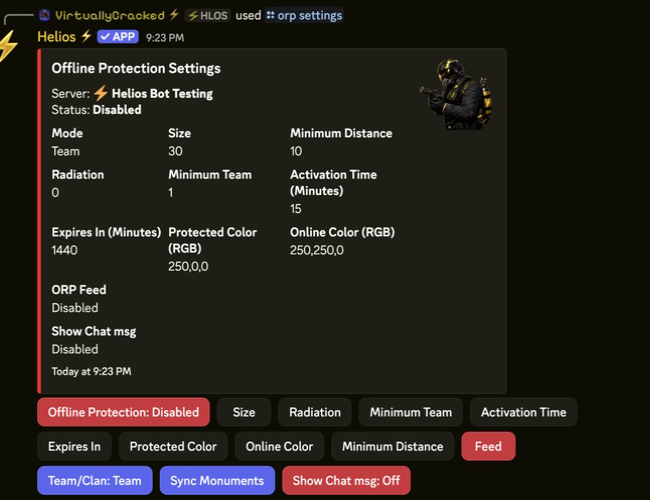
ORP Settings
Overview
Use this page to configure ORP Settings values from the Helios admin panel and keep behavior consistent across servers.
Requirements
- Helios bot connected to at least one server in this guild.
- Discord permissions to run admin commands for this category.
- Correct server selected when the command supports
server:.
Setup Flow
- Run /orp settings server:"<SERVER>" for the target server.
- Review current values before changing anything.
- Update one setting at a time and submit each modal/button action.
- Re-open the panel and verify all values persisted correctly.
Commands Covered
/orp settings server:"<SERVER>"
Example
/orp settings server:"<SERVER>"
Notes
- Most admin commands require Manage Server (ManageGuild).
- Panel-based commands are user-scoped; each admin should open their own panel session.
- Some options on this page are premium-gated by server plan.