Helios Rust Console Bot Documentation
Rust Console Shop and Market Setup Guide
Owner guide for Rust Console shop bot workflows, product catalog setup, inventory, and market controls in Helios.
- Last updated
- Maintained by
- Helios RCE
Overview
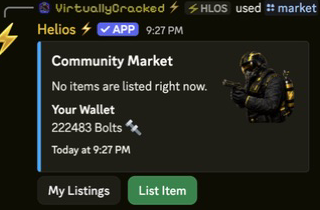
Market and Shop combine category/product management, player inventory (/bag), and market trading (/market).
Video Tutorials
Shop Setup
Easy Shop Setup
Keys & Chests
Requirements
- Economy configured (
/economy,/set currency) - Shop and Market toggles enabled in
/settings server - Linked accounts for wallet/bag flows
- Premium for market and expanded limits
Setup
- Enable Shop and Market in
/settings server. - Create category structure with
/category add. - Add products with
/product add,/product add-item, or/product add-cmd. - Validate player flow in
/shopand/bag. - Validate listing/purchase behavior in
/market.
Commands or Controls
/settings server
/category add|edit|remove
/product add|add-item|add-cmd|edit|remove|info|cooldown-reset
/shop
/bag
/market
/set inventory-limit
Chest and Treasure System
Chest and Treasure controls are part of the premium inventory ecosystem and are used for case-battle and loot reward flows.
Recommended Rollout
- Create chest types first with
/chest add. - Add weighted treasure rewards with
/treasure add. - Validate reward pools with
/treasure list. - Run a controlled test case battle with
/battle chest. - Publish drop-rate policy to staff before public rollout.
Chest and Treasure Commands
/chest add|edit|list|remove
/treasure add|edit|list|remove
/battle chest
Guardrails
- Treat high-value rewards as approval-gated changes.
- Keep chest images and names consistent with your category naming conventions.
- Re-test weights after each major economy change or wipe.
Example Use Case
/category add name:"Weapons"
/product add-item category:"Weapons" name:"Pistol" item:"pistol.revolver" price:250 server:"US Main"
/shop category:"Weapons" server:"US Main"