Helios Rust Console Bot Documentation
Zone Setup Examples for Events, Safe Areas, and Shops
Practical rule choices for trading areas, arenas, spawn areas, no-build areas, and temporary testing zones.
- Last reviewed
- Maintained by
- Helios RCE
Use these as starting choices, then fit the location and size to your map. They are not one-click presets. Nothing is created until you submit Create Zone.
Follow the zone walkthrough first. Discord /zone is Free; the dashboard editor requires Premium. Both require Manage Server.
Know the separate switches
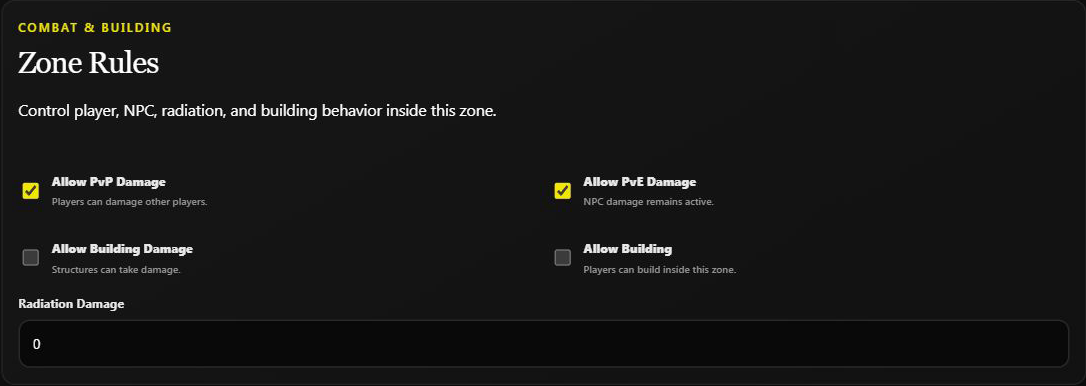
Allow Building controls placing structures. Allow Building Damage controls damage to structures. Allow PvP Damage controls player-vs-player damage. Turning one off does not automatically turn the others off.
| Area | Starting rule choices |
|---|---|
| Peaceful trading area | PvP off; building damage off; building off; radiation 0. Decide NPC damage separately. |
| PvP arena | PvP on; radiation 0. Choose building and NPC rules to match the event. |
| Protected spawn space | PvP off; building damage off; building off; radiation 0. Check NPC damage too. |
| No-build area | Building off. Leave other rules as intended for the surrounding area. |
| Temporary staff test area | Choose rules for the test. A zone does not restrict entry to staff. |
Peaceful trading area
Place the boundary around the meeting spot, not a large part of the map. Turn Show Area on and choose a clear color. Example messages:
Enter: Trading area: no PvP, no building.
Leave: Leaving the trading area. Normal server rules apply.
Enable Show Chat Messages too. A "safe area" message alone does not turn damage off.
A zone does not configure the Discord Shop or Market, grant items, or change prices. Those are separate shop settings.
Event arena
Set PvP on and choose the rules for structures and NPCs. An enter message could say Arena: PvP is enabled inside this boundary.
A manually created zone does not automatically start a match, schedule an event, reset itself, or delete itself afterwards. Use the separate event system if you need those workflows. Record the original rules and decide who will restore or disable the zone after a manual event.
Prefer editing one arena over Manage All, which also affects unrelated zones.
Spawn or welcome area
A small protected area can help players read instructions. Check its vertical size and exits, and make the end of protection visible.
A custom zone does not set player spawn locations or teleport anyone. Use separate spawn or teleport controls for those actions.
No-build area
Turn Allow Building off only where needed. Decide separately whether existing structures should take damage.
This does not remove existing structures: it is a zone rule, not a building-cleanup tool.
Staff testing area
Keep destructive or combat tests on a separate testing server. Naming a zone "Staff Only" or putting that in its message does not block ordinary players from entering. Discord roles control who manages Helios; they are not a custom-zone entry filter.
Appearance and messages
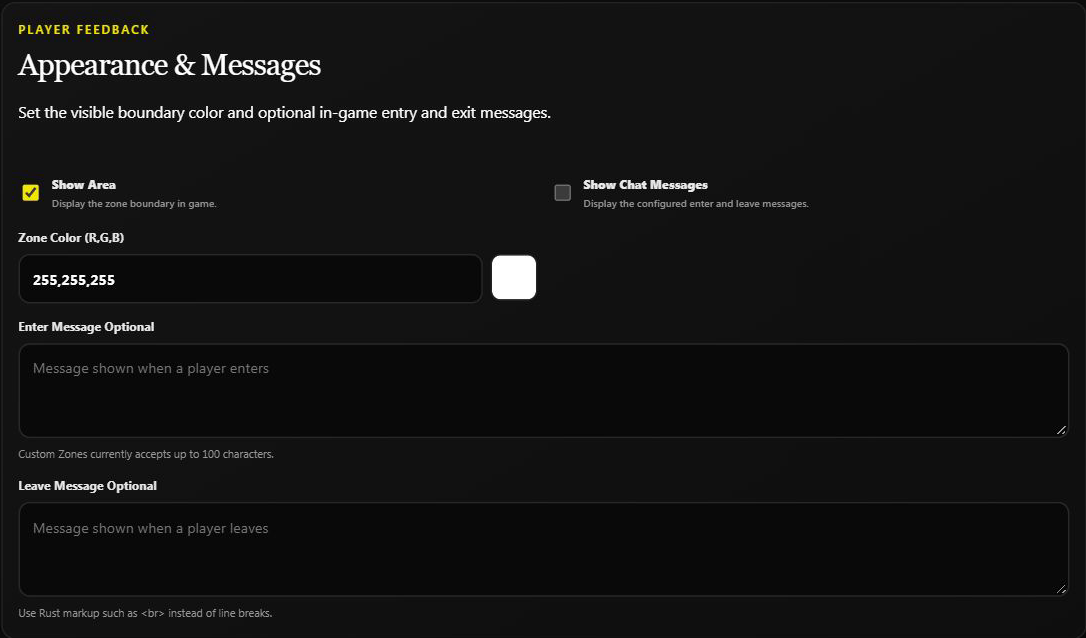
Use short messages that match the saved rules. Dashboard messages accept up to 100 characters; use <br> for a line break. Keep the boundary visible while checking its location.
The screenshots show an untouched draft, not the completed examples above.
Avoid whole-server surprises
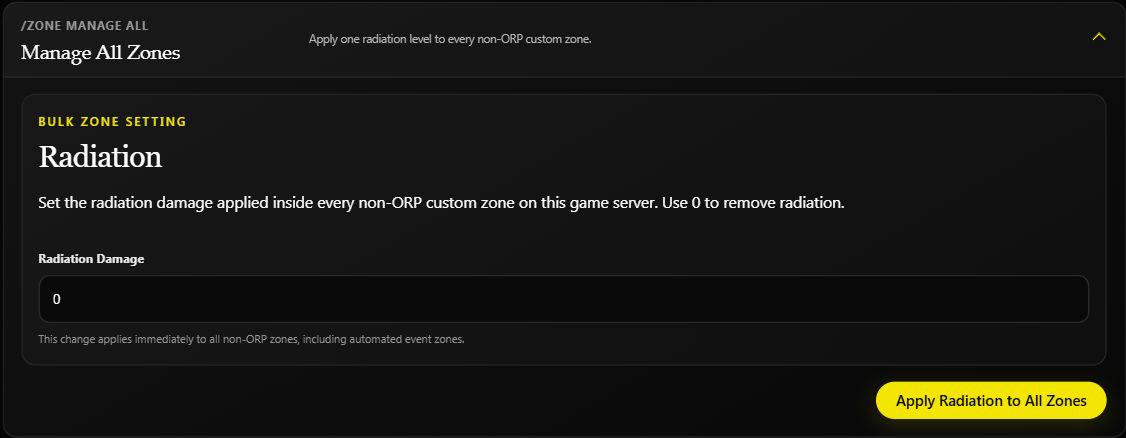
Manage All is not limited to the area currently open. It affects every non-ORP custom zone on the selected game server, including automated zones. It does not preserve each zone's old value for an automatic undo.
The dashboard offers bulk radiation; Discord offers several bulk toggles too. For an individual correction, edit that zone instead.
After setup or a map wipe
Read the saved settings first. When players are online, walk the boundary and watch normal entry/exit behavior. Re-check overlapping zones and new terrain after a map wipe. Use zone troubleshooting if the outline, messages, or rules do not match your plan.