Helios Rust Console Bot Documentation
Rust Console Killfeed Setup (Discord and In-Game)
Split setup path for Rust Console killfeed routing in Discord channels and in-game chat.
- Last reviewed
- Maintained by
- Helios RCE
Overview
Use these two pages to configure killfeed based on where you want messages to appear:
- In Game for chat templates shown to players in server chat.
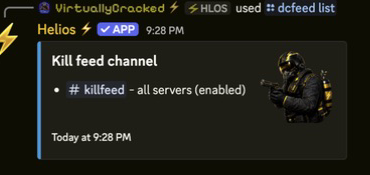
- In Discord for kill/player/staff feed channels in Discord.
Video Tutorial
Suggested Order
- Configure In Game first so template wording is finalized.
- Configure In Discord second to route output channels.
- Choose whether each item belongs to this game server or all connected game servers. Shared templates and shared channels affect every connected server in this Discord community.
- Run one test combat session and verify both outputs live. Changes normally reach the feed within about a minute.
Shared Requirements
- Connected server in Helios
Manage Serverpermission- Bot send/embed permissions in target Discord channels
What the two areas control
| Area | What it changes |
|---|---|
| In-game Feed | The wording players see in Rust chat. You can add, edit, pause, resume, or remove message templates. |
| Discord Channels | The Discord text channels that receive killfeed embeds. You can add, pause, resume, or remove each destination. |
Include PvE kills sits in the In-game Feed area, but it applies to both places. Turn it off to keep scientists, animals, traps, radiation, and other PvE deaths out of this game server's Rust chat and Discord killfeed.
Troubleshooting Shortcut
If feeds are not posting, check Troubleshooting and validate bot permissions plus channel routing commands.